
Star Trek Online Ships: Tiers, Types, and Build Tips
Explore Star Trek Online ships, compare tiers and ship types, learn how to earn new vessels, and build a focused loadout with weapons and bridge officers.
Jump to
Which Ship Should You Fly?
Star Trek Online ships give you more than a familiar silhouette to command: your choice shapes your weapons, bridge officer abilities, and combat handling. With over 600 vessels available, start by choosing how you want to fight. Your captain’s career does not restrict your ship type, so a Science captain can command an escort and a Tactical captain can fly a cruiser.
Compare the actual configuration before committing to a vessel. Weapon slots determine what you can equip, bridge officer stations determine which abilities you can use, and console slots determine how you can support the build.
Start with these questions:
- Do you want a durable cruiser, a maneuverable escort, or a science-focused vessel?
- Does its bridge officer seating support your intended abilities?
- Can its weapon layout support the firing arcs you want to use?
- Are you choosing it for the ship itself, its console, or its mastery trait?
Faction also shapes your starting experience. Starfleet, the Klingon Defense Force, the Romulan Republic, and the Dominion have distinct ship lineups. Unlocking Cross-Faction Flying opens access to vessels from other factions.
Official page: Star Trek Online (playstartrekonline.com)
Ship Tiers and Free Leveling Ships
A ship’s tier affects its bridge officer stations, console capacity, and other capabilities. Similar-looking versions of the same design can have substantially different configurations.
 Image: Steam / Cryptic Studios
| Tier | Progression and capabilities |
|---|---|
| Tiers 1–4 | Leveling vessels, with rank-up ship tokens at levels 10, 20, and 30 providing successive upgrades |
| Tier 5 | A free selection becomes available at level 40; these vessels are capable of endgame play |
| Tier 5-U | An upgraded form of eligible T5 ships, adding capabilities including Starship Mastery |
| Tier 6 | The highest ship tier, with capabilities that scale as your character levels |
At level 61, the Vice Admiral Ship Token provides access to an eligible T5 ship that can be upgraded to T5-U. That is an upgradeable ship selection, so account for the upgrade step when comparing it with other options.
Eligible T5-U ships can receive an Experimental Ship Upgrade to become T5-X. That upgrade adds a device slot, a universal console slot, and an additional starship trait slot.
T6 vessels can accompany a character through leveling into endgame. Their higher tier does not replace the need for a coherent loadout: weapons, consoles, bridge officers, traits, and subsystem power all contribute to combat performance.
Understanding Ship Types and Variants
The class name gives you a starting point, but individual ships have exceptions. Check the Commander station, weapon arrangement, hangar bays, and equipment restrictions together.
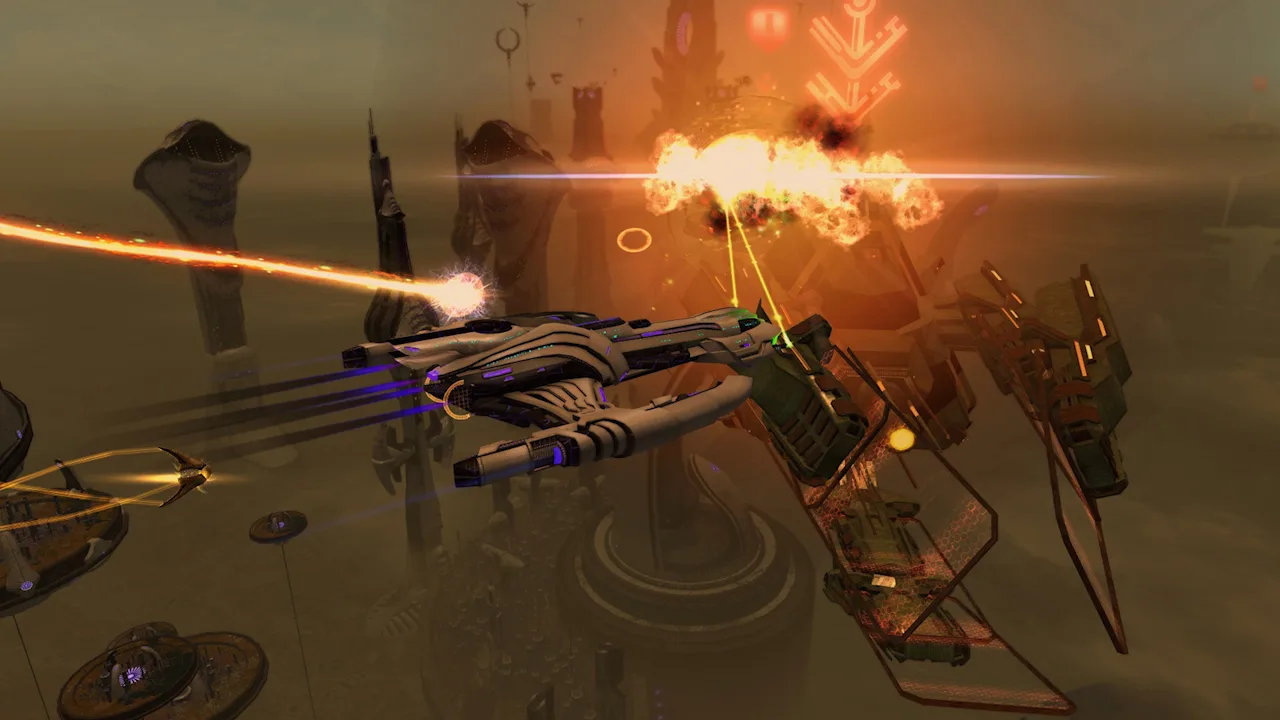 Image: Steam / Cryptic Studios
| Ship type | Typical characteristics |
|---|---|
| Cruiser | Engineering Commander seating, Cruiser Commands, strong durability, and generally slower handling; endgame cruisers commonly carry eight weapons |
| Escort or Raptor | Tactical Commander seating, dual cannon access, high maneuverability, and generally less durability; endgame escorts commonly carry seven weapons plus an Experimental Weapon |
| Battlecruiser | A cruiser variant with dual cannon access and fewer Cruiser Commands |
| Strike Wing Escort | An escort variant with a hangar bay |
| Science Dreadnought | A larger science-focused vessel with a hangar bay |
| Warbird | A family spanning Tactical, Engineering, and Science configurations, with different weapon and hangar arrangements |
| Carrier variants | Designs with hangar bays, including configurations with two bays |
Avoid treating every warbird as the same combat class. A Tactical Warbird and a Warbird Science Vessel have different Commander seating and build priorities.
Names can also obscure the underlying classification. The Eclipse Intel Cruiser is a battlecruiser despite having “Cruiser” in its name.
For a few concrete names to compare:
- Arbiter Battlecruiser: A T6 battlecruiser.
- Gagarin Miracle Worker Battlecruiser: Another T6 battlecruiser with a different configuration to examine.
- Constitution Pilot Multi-Mission Cruiser: Featured in the September 18, 2026 ship announcement.
Compare their individual layouts before choosing a purchase or adapting a build.
How to Get More Ships
Rank-up tokens are one route into a larger roster. Additional vessels come through stores, fleets, events, and tradable ship packages.
 Image: www.playstartrekonline.com
Shipyards and the Zen Store: Ships are available for Dilithium or Zen, depending on the vessel. Many standard T6 store ships have a regular price of 3,000 Zen; bundles and other offers have separate pricing.
Fleet purchases: Fleet vessels use Fleet Credits and Fleet Ship Modules. Compare the Fleet version’s configuration and mastery rewards with the other version before choosing between them.
Seasonal events and giveaways: Events such as the summer Lohlunat Festival and Q’s Winter Wonderland offer opportunities to earn ships. Follow the individual event’s reward requirements rather than assuming every event awards a vessel.
Lobi purchases: Some ships are sold through the Lobi Crystal Consortium. T6 Lobi ships typically cost 900 Lobi Crystals.
The Exchange: Tradable ship packages can be purchased with Energy Credits. Search for the exact vessel or package you intend to acquire.
Lock Boxes and promotional packs: These offer a chance at ship rewards. Opening a box does not guarantee the ship you want.
Before spending, distinguish the vessel’s tier and variant from its visual design. A familiar class name can appear across multiple ships with different seating, consoles, and mastery benefits.
Build Around One Weapon Plan
For an introductory energy-weapon build, choose one energy damage type and support it consistently. Phaser beams and Disruptor beams are both options; the useful principle is matching your weapons to the bonuses you equip.
For example, a ship carrying Phaser weapons can use Phaser-boosting Tactical consoles to improve those weapons together. Splitting that same loadout between Phaser and Disruptor weapons makes each damage-specific console support only part of the ship’s armament.
Follow this setup order:
- Choose an energy type. Keep matching weapons as you collect equipment.
- Choose beams or cannons as the main weapon family. Build your firing abilities around that choice.
- Match Tactical consoles to your main damage type.
- Check firing arcs. A narrow forward arc requires different positioning than a broad beam-array arc.
- Fill other console slots with effects that support the build or its survival.
A higher weapon mark alone does not make a mixed loadout more coherent. Compare the replacement’s damage type with the bonuses already supporting your ship.
For a simple energy build, add a single forward torpedo if you want one. Keep the damage-boosting console focus on the energy weapons that make up the rest of the loadout. Dedicated torpedo builds require a different plan.
Universal consoles can occupy different console categories, but individual consoles can have ship restrictions. Check those restrictions before planning a transfer to another vessel.
Match Bridge Officer Abilities and Power Settings
Bridge officer seating is a major part of a ship’s identity. Each station’s career and rank determine which abilities it can accommodate.
For a beginner beam build, organize the core abilities around these jobs:
- Beam: Fire at Will or Beam: Overload: Choose the main beam firing mode.
- Emergency Power to Weapons: Support weapon power and damage.
- Photonic Officer: Reduce bridge officer ability cooldowns when the Science station can accommodate it.
Prioritize the firing-mode rank your seating supports. Then fit compatible power support, cooldown reduction, and survival abilities around it.
For an introductory energy-weapon setup, raise Weapons power rather than leaving every subsystem balanced. The four subsystems are Weapons, Engines, Shields, and Auxiliary, and allocating more base power to one reduces what remains for the others.
Keep that advice tied to the build. Science-focused setups have different Auxiliary needs, so copy the reasoning behind a power configuration along with its settings.
In combat, activate supporting buffs before the firing mode they are intended to strengthen. Use cooldown reduction to make abilities available sooner, and reactivate them as they become ready.
On PC, press F12 to rearrange the HUD. Put frequently used abilities where you can reach them, then lock the tray after organizing it to prevent accidental dragging during combat.
Starship Mastery and Traits
T5-U and T6 vessels have their own Starship Mastery progression. Combat-earned skill points advance that ship’s mastery; end-of-mission rewards do not.
Mastery levels one through four unlock passive bonuses that apply while flying that vessel. The mastery package depends on the ship type.
Non-fleet T6 ships also offer a fifth mastery level that unlocks a Starship Trait. Once unlocked, that trait can be used while flying another ship.
Separate those rewards when evaluating a vessel:
- Ship mastery passives improve the specific ship you are flying.
- Unlocked Starship Traits can support builds on other vessels.
Check both the ship’s configuration and its trait before buying it for a long-term build. A vessel’s usefulness to your roster can extend beyond the time you spend commanding it.
Customize the Ship’s Appearance
Ship customization covers both exterior options and equipment visuals. Visit a shipyard to inspect the choices available for your vessel.
Depending on the design and compatible parts you own, customization can include saucers, hulls, nacelles, pylons, materials, windows, patterns, and colors. Compatible variants can also share parts.
For example, owning both the Scimitar Dreadnought Warbird and the Shamshir Operations Dreadnought Warbird allows their compatible parts to be used when customizing the Shamshir.
Equipment can change the exterior too. Certain shields and impulse engines add visual effects, and dedicated visual slots let you use supported appearances separately from the equipment providing your combat stats.
If an equipped item changes the look in a way you dislike, disable its visuals through the item’s right-click menu. Use the visual slots to preserve the appearance you want while adjusting the combat loadout.
Continue with
 Star Trek Online Typhoon Temporal Battlecruiser GuideExplore the Star Trek Online Typhoon Temporal Battlecruiser, including its 5/3 weapons, specialist seating, torpedo trait, console, and unlock options.
More in Ships
See all Ships
Join the community
Official channels for news, updates and player help: