
Star Trek Online Learning the Lore of the Empire Walkthrough
Star Trek Online Learning the Lore of the Empire walkthrough: find Ch'toh, locate the quiz console, answer the history question, and collect daily rewards.
Jump to
Accept the Quiz at Klingon Academy
One history question stands between your captain and this Klingon Academy daily’s rewards. This Star Trek Online Learning the Lore of the Empire walkthrough covers finding the console, answering the question, and collecting your payout. Start by checking the mission name: Learning the Lore of the Empire is the quiz, while The Lore of the Empire gives you a datachip.
- Travel to Klingon Academy.
- Speak with Loresinger Ch’toh.
- Accept Learning the Lore of the Empire.
The quiz tests your knowledge of the Path to 2409, the history leading into Star Trek Online’s setting. Its objective is to answer one lore question correctly, and you can repeat the mission once per day.
If you also want to collect historical datachips, accept Ch’toh’s companion mission during the same visit. Keep both objectives distinct so you don’t mistake collecting a chip for completing the quiz.
Official page: Star Trek Online (playstartrekonline.com)
Find the Historical Database and Answer the Question
The quiz console is inside the Academy’s command center, almost directly east of Ch’toh. The useful landmark is the first raised platform: the correct console sits just beyond it on the south side.
 Image: Steam / Cryptic Studios
- Head east from Ch’toh toward the command center.
- Enter the building and locate the first raised platform.
- Look just past that platform on the south side for the historical database console.
- Interact with the console and read the single multiple-choice question.
- Select the answer that matches the historical event.
Read the entire question before choosing. Focus on the specific person, event, or date it asks about rather than selecting an answer because a familiar character’s name appears.
Historical datachips from The Lore of the Empire and the Federation mission History 101: Alpha Quadrant from 2380 contain material relevant to some questions. Use the corresponding Path to 2409 entry when you need to review an event; general knowledge of the TV shows won’t necessarily cover the game’s lead-up history.
Return to Ch’toh for Your Result and Rewards
Submitting an answer at the console isn’t the final step. Ch’toh evaluates your response when you return.
 Image: Steam / Cryptic Studios
- Leave the command center and speak with Loresinger Ch’toh again.
- Turn in your quiz attempt.
- If your answer was correct, collect 138 Experience Points, 119 Expertise, and 480 Dilithium Ore.
Return to the mission giver even after an incorrect answer to finish resolving the attempt. Don’t leave the result sitting unfinished while you move on to another activity.
The quiz has no mission-specific accolades. Lore collection progress comes from the separate datachip system, so completing the daily question and building your historical collection serve different purposes.
Collect Datachips Through The Lore of the Empire
Ch’toh’s similarly named companion mission is useful if you’re collecting lore or completing an Academy lore objective.
 Image: Steam / Cryptic Studios
- Accept The Lore of the Empire from Ch’toh.
- Visit the library computer inside the command center.
- Collect your historical datachip.
- Consume the chip on the character whose lore accolades you want to advance.
You don’t need to answer the quiz to receive the companion mission’s datachip. For the Complete an Academy Lore Mission Universal Endeavor, use this collection mission.
If you collect chips on multiple characters, send them to your chosen lore collector before consuming them. Lore accolades belong to individual characters, so keep that progress together. You can also trade datachips or obtain them through the Exchange; check which entries your collector already owns before buying additional chips.
To review your collection, open the mission journal and select Accolades. When transferring chips, you can attach up to five items to a mail message, then claim and consume them on your collector.
Continue with
 Star Trek Online Walkthrough: From Tutorial to EndgameUse this Star Trek Online walkthrough to finish the tutorial, find story missions, equip your ship, train bridge officers, and begin endgame progression.
More in Quests
Star Trek Online Beyond the Nexus Mission Walkthrough
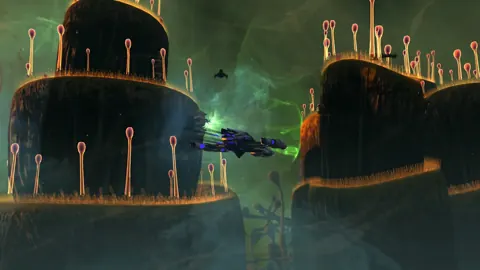
Complete Star Trek Online Beyond the Nexus mission with a step-by-step walkthrough covering ship battles, security puzzles, rewards, and both accolades.
Star Trek Online Endeavor Harvest Materials Space: Guide
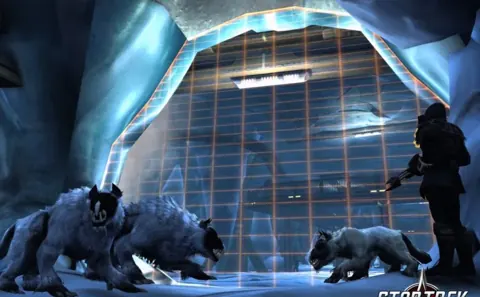
Star Trek Online endeavor harvest materials space guide: find patrol nodes, plan a six-node route, and collect materials while avoiding unnecessary combat.
Star Trek Online Fastest Patrol: Quick Runs and Rewards
Find your Star Trek Online fastest patrol routine with Wanted at Argala, direct-launch steps, daily rewards, and tips for efficient solo ship mastery runs.
Join the community
Official channels for news, updates and player help: