
Star Trek Online Down? Server Status and Login Help
Star Trek Online down? See the server status snapshot, compare login and connection issues, and find official updates before troubleshooting your login.
Jump to
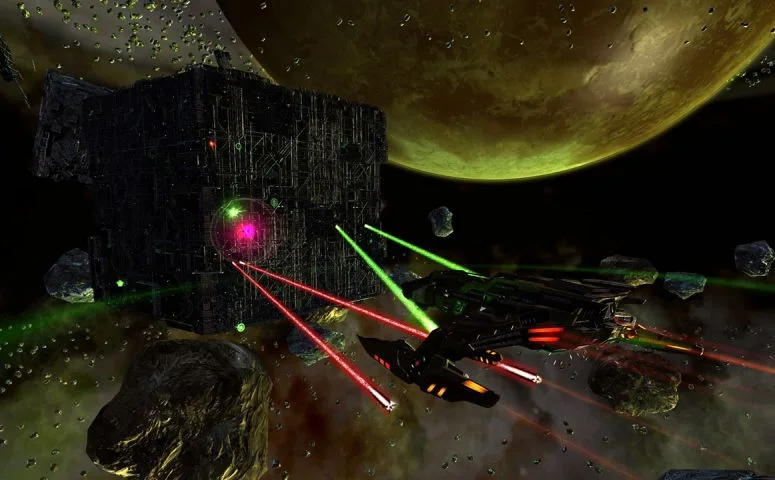
Are STO’s Servers Offline?
Is Star Trek Online down, or are you dealing with a login problem? The status snapshot showed the monitored services online. Compare the timestamp with your disconnect before deciding whether an outage explains it.
At 1:19:24 a.m. UTC on November 1, the overall operational status was UP. The individual game services had these results:
| Service | Status | Response time |
|---|---|---|
| STO Login Server | UP | 33 ms |
| STO Game Server | UP | 51 ms |
| STO Controller | UP | 154 ms |
| STO Account Server | UP | 35 ms |
| STO Web Server | UP | 35 ms |
Those response times describe the monitored endpoints at that moment; they are not your personal in-game ping. Use the login and game service results to understand the status reading, rather than treating a reachable website as proof that every part of the game is working.
The timestamp also matters across time zones: November 1 at 1:19:24 a.m. UTC was October 31 at 6:19:24 p.m. PDT.
Identify Which Part Is Failing
“Can’t play” covers several different problems. Describe the symptom precisely when looking for matching updates or requesting help:
 Image: Steam / Cryptic Studios
- Game launch: The game does not open.
- Login: You cannot sign in.
- Server connection: You cannot connect or stay connected.
- Lag or latency: You can play, but responsiveness is poor.
- Gameplay: Something goes wrong during play.
- Purchases: The problem involves a transaction.
Include your platform—PC, Xbox, or PlayStation—along with the time and any error message. A purchase issue and a server connection failure need different descriptions, even when both interrupt your session.
For the Steam edition, keep this platform detail in your report:
- PC operating system: Windows.
Find Official Updates Before Making Changes
Visit the official Star Trek Online website for game announcements. Look for a notice that names your platform and addresses maintenance, login availability, or connection problems.
 Image: Steam / Cryptic Studios
Read the notice’s timing carefully. An event announcement or giveaway post serves a different purpose from a service update; a recent promotional post alone does not answer whether you can log in.
If an announcement includes a maintenance window or restoration estimate, use that timing to plan your next attempt. When requesting help, include the exact error text, your platform, and whether the failure happens during launch, login, or gameplay.
Continue with
 Star Trek Online How to Start Without Launcher: GuideStar Trek Online how to start without launcher: open the installed STO launcher directly, find your Steam or Arc game folder, and make a desktop shortcut.
More in Support
Star Trek Online Keeps Randomly Signing Me Out: Fixes
Star Trek Online keeps randomly signing me out? Try PC login troubleshooting, Force Verify, and patching checks to get back to missions with fewer crashes.

Star Trek Online System Requirements: Can You Run It?
Compare Star Trek Online system requirements for minimum and recommended PCs, including Windows, RAM, graphics, DirectX, and storage before you download.

Star Trek Online Unable to Establish Connection to Patch Server
Star Trek Online unable to establish connection to patch server? Try launcher settings, firewall checks, and connection troubleshooting to get back in.

Star Trek Online Why Is Not Available On macOS: Fixes
Star Trek Online why is not available on macOS: learn about ended Mac support, Wine setup, and Windows options for Intel Macs and Apple Silicon. Get help.
Join the community
Official channels for news, updates and player help: